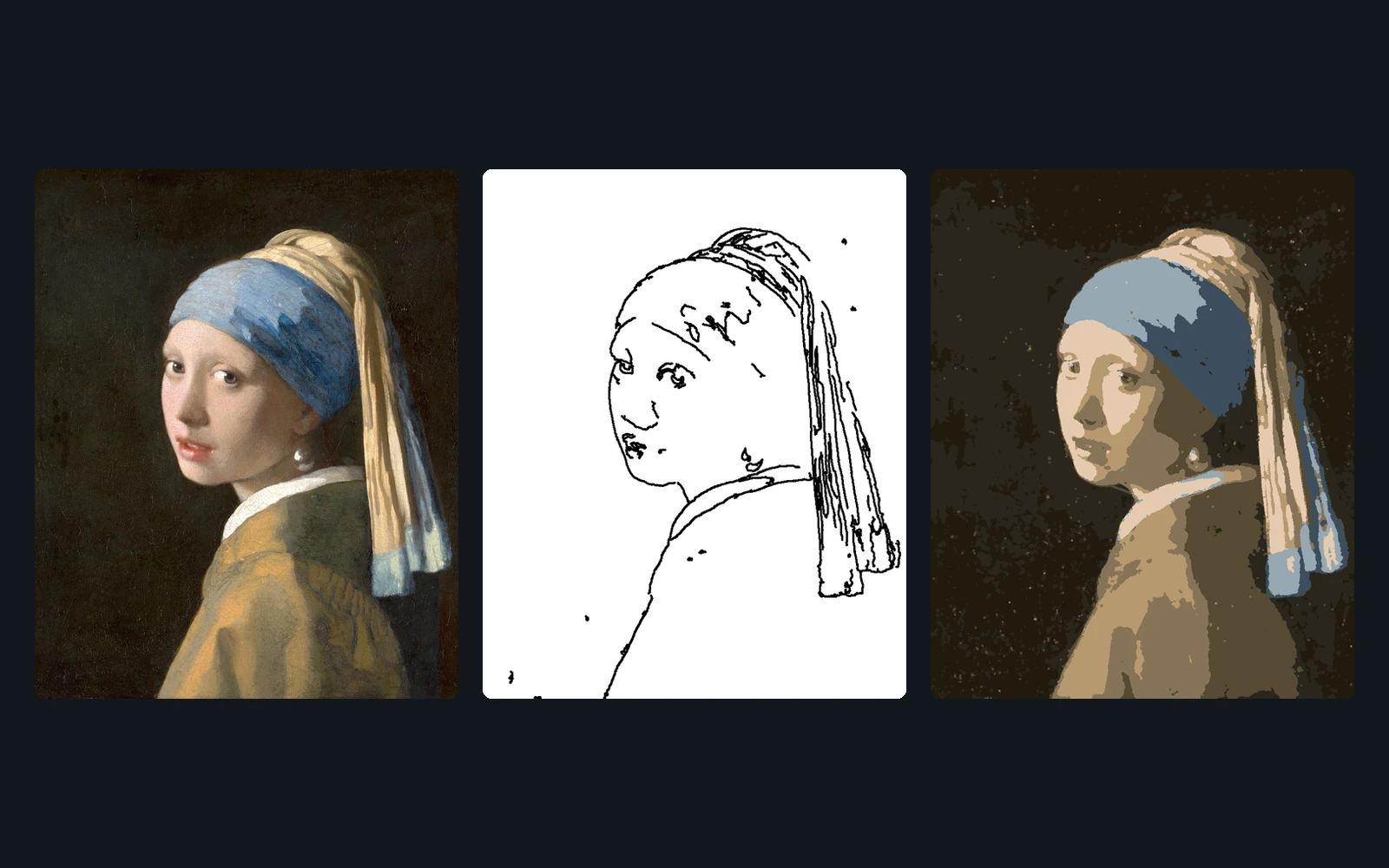
Overview
draw_bot reproduces an input image on a drawing surface (e.g. a Discord Whiteboard) by simulating mouse input with PyAutoGUI. It supports a target region on screen and two drawing strategies: tracing detected edges, or decomposing the image into shapes for a more complete fill.
Features
- Contour mode: Canny edge detection, then each contour traced as a pen drag
- Paint mode: bilateral filtering and K-means color quantization to reduce the image to a small palette
- Background fill using the dominant color as an initial full-canvas rectangle
- Quadtree decomposition of each color region into filled rectangles
- Skeletonization (medial axis) to draw thin regions efficiently with the line tool
- Scanline-based pen strokes for leftover thin/irregular areas
- Nearest-neighbor path ordering to reduce cursor travel between shapes
- Pluggable per-program backends (currently a Discord Whiteboard target) defining tool/color UI coordinates
How it works
main.py loads the target image, computes the on-screen draw region, and dispatches to either contour_mode.py (OpenCV Canny edge detection, drawn as pen drags) or paint_mode.py (color quantization, quadtree rectangle fill, skeleton-based lines, and scanline pen strokes for remainders). Each drawing “program” is a small plugin (programs/discord_whiteboard.py) implementing an abstract DrawProgram interface that maps tool/color/shape UI elements to fixed screen coordinates, which PyAutoGUI then clicks and drags through to execute the generated drawing instructions.